

Most accounting firms have invested in some form of digital infrastructure, yet a surprising number still rely on disconnected tools, manual follow-ups, and scattered email threads to manage client communication. The result is a workflow that looks modern on the surface but quietly leaks time and productivity at every handoff.
This is where the concept of a web portal becomes critical to understand, not just as a feature on a software checklist, but as a foundational element of how your firm operates day to day. A well-designed web portal centralizes client interactions, document exchange, and task management into a single, secure environment. However, not all portals are built with accounting workflows in mind, and that distinction matters more than most firms realize.
In this analysis, we will break down exactly what a web portal is in the context of accounting firms, explore the specific workflow gaps that emerge when portals are poorly implemented or misaligned with firm needs, and give you a clear framework for evaluating whether your current setup is actually serving your team and your clients.
What a Web Portal Actually Is in the Accounting Context
If you have encountered the term "web portal" while researching tools for your accounting firm, you may have noticed that industry resources rarely use that phrase. The accounting profession has standardized on the term client portal to describe the same category of technology. Both labels refer to a secure, branded online gateway through which a firm and its clients exchange documents, communicate, and manage requests. The terminology gap exists because prospective buyers often search using generic language, while vendors, analysts, and practitioners write exclusively in industry-specific terms. Understanding this translation is the first step toward evaluating the right tools, because the resources you need will almost always be indexed under "client portal" rather than "web portal." According to client portal research from Vintti, this category of software is actively transforming how accounting firms operate, signaling that adoption is an ongoing, accelerating shift rather than a settled practice.
Core Functions That Define an Accounting Client Portal
At its foundation, an accounting web portal delivers four interconnected capabilities that distinguish it from generic digital tools. First, it provides secure document exchange, enabling encrypted upload and retrieval of sensitive financial files including tax returns, financial statements, and source documents. Second, it delivers branded client access, presenting a firm-specific interface that reinforces professional identity rather than routing clients through a third-party service. Third, it centralizes communication by replacing fragmented email threads with a single, tracked channel where every message is associated with a specific client matter. Fourth, it supports trackable document requests, allowing firms to issue structured requests and monitor whether clients have viewed, completed, or ignored them. These four functions work together to create a controlled environment for every client interaction, which is precisely what separates a purpose-built portal from improvised alternatives.
Why Email and Shared Drives Fall Short
The distinction between a client portal and tools like email, shared drives, or generic cloud storage is not merely a matter of preference; it carries direct compliance implications. Email lacks version control, encryption at rest, and any structured audit log recording who accessed or downloaded a sensitive file. Shared drives offer storage but do not enforce engagement-level permissions, link document activity to a specific client matter, or generate time-stamped access records. As documented in enterprise portal design standards, a properly configured portal maintains a comprehensive audit trail capturing when data was added, changed, or deleted, and by which user. For accounting firms subject to IRS Publication 4557 data security guidelines and Gramm-Leach-Bliley Act obligations, this audit trail is a legal protection, not a convenience feature. Web portal architecture from ScienceSoft reinforces that client portals are fundamentally integration and compliance tools, not simply file storage with a branded interface.
Rising Client Expectations and the Tech Stack Position
Client expectations have shifted considerably over the past several years. The progression from paper organizers and fax-based document intake, through email and generic file sharing, to purpose-built portals with real-time engagement tracking reflects a fundamental change in what clients consider acceptable service. Clients now assume 24/7 self-service access to their documents, real-time visibility into whether their submissions have been received, and mobile-accessible interfaces consistent with broader consumer digital norms. Within the accounting tech stack, the client portal occupies a specific and essential layer sitting between practice management software, which tracks jobs, deadlines, and staff assignments, and e-sign tools, which execute engagement letters and completed returns. Many modern portals integrate e-sign functionality directly, collapsing these layers into a single workflow. The portal functions as the primary client-facing interface, connecting the firm's internal operations to the client relationship in a structured, auditable, and professional way.
Why Accounting Firms Are Adopting Web Portals Now
The shift toward client portals is not happening in a vacuum. It is being driven by a convergence of operational pressures, structural workforce changes, and rising client expectations that have made the old ways of working genuinely unsustainable for most accounting firms.
The Email Problem Has Become a Compliance Problem
For years, email served as the default communication and document exchange channel for accounting firms. That default is now a liability. Sensitive financial documents, W-2s, tax identification numbers, and bank statements, move through inboxes without encryption, without access controls, and without any audit trail. Every unencrypted attachment represents a potential violation of data handling requirements under frameworks such as the Gramm-Leach-Bliley Act and IRS Publication 4557, which outline specific obligations for firms that handle taxpayer data. Beyond regulatory exposure, the operational dysfunction compounds daily. Staff spend hours each week reconstructing document status from scattered threads, following up on missing items, and reconciling multiple versions of the same file. A secure client portal eliminates this by centralizing every document exchange into a single, trackable environment where access is controlled and every action is logged.
A Shrinking Workforce Cannot Absorb Manual Overhead
The talent crisis reshaping the accounting profession makes administrative inefficiency far more costly than it used to be. According to the AICPA 2025 PCPS CPA Firm Top Issues Survey, 75% of CPAs are at or near retirement age, and the US Bureau of Labor Statistics projects approximately 130,000 accountant job openings annually. At the same time, the number of candidates sitting for the CPA exam has declined sharply, with the 150-hour education requirement contributing to a 26% drop in exam candidates in recent years. Firms are being asked to serve a growing client base with a structurally smaller talent pool. In that environment, any hour a staff member spends chasing a missing document or re-sending a follow-up email is an hour diverted from billable, revenue-generating work. Portals do not replace talent; they protect it.
Peak Season Pressure Makes Every Hour Count
The capacity constraint during filing season is not a temporary inconvenience; it is a hard operational ceiling. Thomson Reuters' 2025 Tax Season Pulse found that tax-prep capacity runs above 90% utilization at peak. When a firm is operating at that level, there is no slack to absorb inefficiency. Every untracked document request, every phone call confirming receipt, and every duplicate email thread carries a direct opportunity cost measured in delayed returns and staff burnout. Firms that have structured their document intake through a centralized portal enter peak season with clear visibility into what has been received, what is outstanding, and who is responsible for each item, removing the chaos that compounds when capacity is already exhausted.
The Close Cycle Has a Document Intake Problem
The impact of disorganized document collection is not confined to tax season. The Journal of Accountancy's 2025 close-cycle benchmark places the average month-end close at five to six business days. A significant portion of that time is consumed at the front end of the engagement, waiting for clients to submit the documents needed to begin work. Streamlined digital intake, with automated reminders, structured checklists, and real-time submission tracking, directly compresses that window. Firms that reduce the document collection phase by even one day across a client base of several hundred engagements reclaim meaningful capacity each month.
Clients Now Expect a Digital-First Experience
Beyond internal efficiency, client expectations have shifted decisively. Clients interact with banks, insurers, and healthcare providers through polished digital platforms daily. They now bring those same expectations to their accounting firm. They assume they can upload documents securely at any hour, check the status of their return without calling the office, and receive proactive updates when action is required on their end. Firms that still rely on email and phone calls for these interactions are not just less efficient; they appear less professional. A modern, branded client portal signals that the firm takes security, responsiveness, and client experience seriously, which directly supports retention and referrals in an increasingly competitive market.
What a Web Portal Does Well
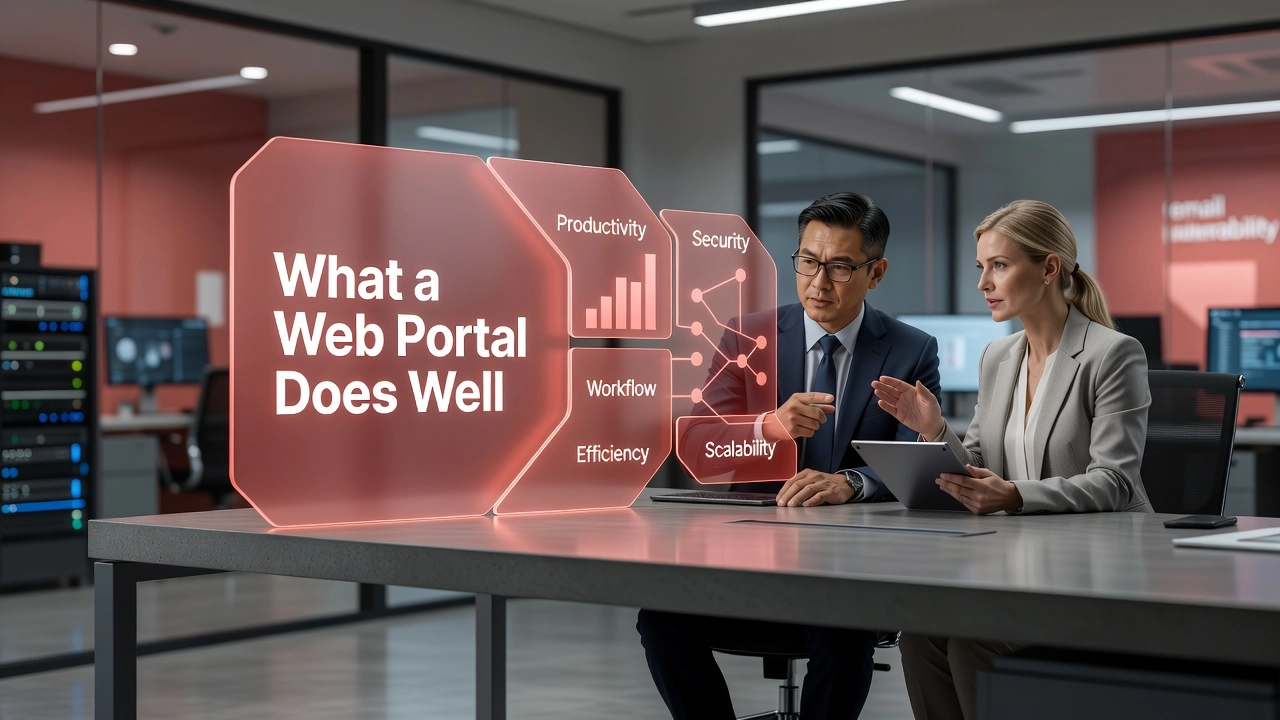
A well-implemented client portal delivers measurable operational advantages across five distinct dimensions. Understanding each one clarifies why accounting firms are treating these tools as core infrastructure rather than optional upgrades.
Secure Document Exchange
The compliance exposure created by standard email is structural, not incidental. Every time a client emails a W-2, a bank statement, or a Social Security number as an unencrypted attachment, that data travels through servers the firm does not control and sits in inboxes with no access restrictions. A properly configured client portal eliminates this exposure by design. The security baseline for any credible portal includes AES-256 encryption at rest, TLS 1.2 or higher in transit, granular permissions so each client accesses only their own files, and automatic virus scanning on every upload. For firms subject to IRS data security requirements, GLBA obligations, or state-level privacy statutes, this architecture is not a feature; it is a compliance requirement that email simply cannot satisfy.
Audit Trails and Accountability
 AI generated
Email threads create a false impression of traceability. In practice, they fracture across inboxes, get deleted, and leave no consistent record of who received what or when. A client portal logs every meaningful interaction: who uploaded a file, who downloaded it, when a document request was marked complete, and which team member reviewed a submission. This activity log creates a defensible record that supports both internal quality control and external accountability. In the event of a dispute, a regulatory inquiry, or a missed deadline, the portal's audit trail provides timestamped evidence that email correspondence cannot replicate. For firms building professional processes around consistent documentation standards, this accountability layer has operational value that compounds over time.
Branded Client Experience
A generic file-sharing link communicates nothing about the firm that sent it. A custom-branded portal, complete with the firm's logo, color scheme, and domain, signals professionalism at every client interaction. According to client portal guidance for accountants, branded portals strengthen the firm's identity and increase client trust by creating a consistent, recognizable experience. This matters for retention. Clients who interact with a polished, purpose-built workspace associate that quality with the firm itself, reinforcing the relationship beyond the annual tax engagement.
Faster Client Response Rates
Accountants consistently observe that clients respond faster through dedicated portals than through email threads. The reason is structural: portals give clients a clear, organized list of outstanding requests with statuses and due dates, removing the ambiguity that causes email requests to sit unanswered. Research indicates that firms relying on email for document exchange spend 30 to 40 percent of their time on administrative overhead, including chasing documents and re-sending files buried in inboxes. Structured request tracking with automated follow-up reminders compresses that overhead significantly.
24/7 Accessibility
Modern clients do not operate on a nine-to-five schedule, and their document submission habits reflect that reality. A portal decouples document collection from staff availability, allowing clients to upload receipts at midnight, review engagement letters on a weekend, or sign a tax return during a lunch break. According to 2026 client portal software analysis for accountants, this around-the-clock accessibility removes scheduling friction that routinely delays engagements. For firms managing peak-season workloads where tax-preparation capacity exceeds 90 percent utilization, any reduction in intake delays has a direct effect on throughput and client satisfaction.
The Workflow Gap Most Portals Leave Open
A client portal earns its place in the technology stack by solving the document exchange problem. Secure upload, organized file storage, audit trails, and encrypted transmission are all genuine improvements over email attachments and shared drives. However, the moment a client clicks "submit" and a document lands in the portal, a new set of problems begins, and most portal architectures are not designed to address them.
After the Upload: The Manual Handoff
The portal confirms receipt, but it does not know what to do next. It does not route the file to the preparer responsible for that client's engagement. It does not check whether all required documents have been received or flag the ones still outstanding. It does not send the client a status update confirming that their submission is in review. Each of those steps reverts to manual staff effort, often requiring someone to log into the portal, inspect what arrived, cross-reference a checklist maintained elsewhere, and then take action in a separate system. The portal solved the delivery problem; it did not solve the workflow problem that follows. For firms operating at peak-season utilization rates above 90 percent, that manual handoff is not a minor inconvenience. It is a structural drain on the staff hours that are already in shortest supply.
The Laggard Problem Has Not Gone Away
One of the most frequently cited reasons firms adopt a client portal is to stop chasing clients for documents. The irony is that most portals recreate that same chasing behavior when a client does not respond. If a document request goes unanswered for five days, the portal records that silence but does not act on it. There is no rules-based reminder that fires automatically at day three, no escalation to a partner at day seven, and no structured follow-up sequence that runs without staff involvement. Someone on the team has to notice the outstanding request, decide it needs a nudge, and send that nudge manually. That is precisely the behavior the portal was meant to eliminate. The result is a tool that improves the experience for responsive clients while leaving the administrative burden associated with unresponsive ones entirely intact.
Reactive Architecture Versus Proactive Design
The distinction between reactive and proactive portal design has measurable consequences. Firms that implement automated workflow management, where reminders, task assignments, and review approvals trigger based on rules rather than staff initiative, consistently close engagements faster. Research comparing accounting practice management approaches shows that automated firms complete close cycles in three to four days, while firms managing workflow manually average eight to twelve days against an industry benchmark of 6.4 days. The difference is not attributable to the portal itself; it is attributable to what happens around and after it. A portal that waits for clients to act, rather than prompting them through structured, scheduled outreach, allows backlogs to accumulate before anyone intervenes.
The Routing and Assignment Gap
Without automation triggered at the moment of document receipt, files accumulate in a shared or generic inbox with no assigned owner, no deadline, and no contextual information attached. The portal does not know which team member handles a given client, what the engagement deadline is, or what the next required action should be. That information lives in the firm's practice management system, and bridging the two requires a manual step that, under volume, becomes a recurring bottleneck. According to the AICPA 2025 PCPS CPA Firm Top Issues Survey, 72 percent of CPA firms identify technology integration as a top-three operational challenge, and the average firm loses 15 to 30 percent of billable capacity to non-billable administrative work. A significant portion of that loss traces directly to the unautomated space between document receipt and task assignment.
The Market Has Solved the Wrong Seam
The accounting technology market has produced strong solutions at two points in the client engagement lifecycle: document exchange through portals, and project tracking through practice management platforms. What remains underaddressed is the automated handoff connecting them. Firms operating both types of tools still manage that connection manually, which means the efficiency gains at each endpoint are partially offset by friction in the middle. This is the specific gap where firms continue to lose the most staff time, and it is also where the distinction between a portal and a true digital workspace becomes consequential. A workspace that integrates communication, file sharing, task assignment, and proactive client outreach into a single environment does not just move documents more securely; it eliminates the manual coordination that consumes staff hours after every submission arrives.
How to Evaluate a Web Portal for Your Firm
Selecting the right client portal is one of the most consequential technology decisions an accounting firm makes. The wrong choice creates administrative friction, depresses client adoption, and ultimately fails to solve the communication and workflow problems that motivated the purchase. A structured evaluation framework across six dimensions helps firms avoid that outcome.
Security: The Price of Entry
Want to see how this works in practice? Explore Osuria’s client portal
In 2026, security is not a differentiator; it is the minimum bar for consideration. Every portal under evaluation should demonstrate AES-256 encryption in transit and at rest, granular permission controls, audit trail logging, and IRS-aligned data handling practices. SOC 2 compliance should be verified through vendor documentation before any serious evaluation begins. Secure client portal software for accountants must protect sensitive financial data through authentication layers and access controls that meet professional compliance standards. A portal that cannot produce documentation supporting these requirements does not merit further evaluation, regardless of pricing or feature claims.
Client Usability and Adoption: The Usage Problem
A portal that clients do not use solves nothing. The most technically capable platform fails operationally if clients default back to emailing attachments because the portal felt confusing or cumbersome. Evaluate the mobile experience carefully, since clients increasingly expect to upload documents securely at any hour from any device. Assess onboarding friction by asking vendors for reported first-upload completion rates and active usage statistics from their existing customer base. Firms whose primary challenge is low portal adoption should weight client-facing UX equally with feature depth. A portal that clients genuinely use at scale delivers more operational value than a feature-rich platform with persistently low adoption.
Practice Management Integration: Avoiding Parallel Entry
Integration depth determines whether a portal streamlines operations or simply adds another system to maintain. The critical evaluation question is whether the portal connects to existing billing, e-sign, time-tracking, and practice management tools, or whether it requires staff to re-enter data across disconnected systems. Parallel data entry does not eliminate administrative overhead; it relocates it. The best client portals for accountants in 2026 typically offer native integrations with billing and payment processors, e-signature workflows, and calendar scheduling. Firms should map their existing tech stack before evaluating portals and require vendors to demonstrate how their platform connects to each component.
Workflow Automation Capability: Past Document Storage
As discussed in the previous section, a portal that stops at document storage leaves the most time-intensive coordination work unaddressed. Evaluate whether the platform automatically sends reminders to clients who have not completed requests, routes received files to the assigned preparer, generates task assignments based on document receipt, and sends proactive status updates without staff intervention. These capabilities should be native to the platform and configurable without third-party integrations. Firms operating above 90% capacity during filing season cannot absorb manual coordination work that automation should be handling.
Scalability: Communication Complexity Compounds
With approximately 130,000 accountant positions opening annually and a large portion of the experienced CPA workforce approaching retirement, firms are structurally required to serve growing client rosters with leaner teams. A scalable portal provides a shared source of truth across every client relationship without requiring proportional increases in administrative oversight. Evaluate whether the platform degrades operationally at higher client volumes or whether its organizational structure holds as the roster expands.
Branding and White-Label Options: Professional Identity
A branded digital workspace reinforces firm identity at every client interaction. Evaluate whether the portal supports custom URLs, firm logos, and personalized dashboards. Generic portals signal a commodity service; a professionally branded client workspace communicates investment in the client relationship and differentiates the firm from competitors using off-the-shelf tools. For firms focused on client retention and premium positioning, branding capability deserves weight in the final selection decision, not just as an aesthetic preference but as a measurable component of the client experience strategy.
The Accounting Portal Landscape in 2026
The client portal market serving accounting firms has matured into five distinct segments, each solving a different slice of the same problem. Understanding where each category excels and where it falls short is the most direct path to a sound technology decision.
Document Exchange Specialists
Platforms in this category, including ShareFile, SafeSend, and Suralink, were purpose-built for the compliance-sensitive demands of audit, assurance, and tax delivery. SafeSend focuses on the final mile of tax engagement: assembling completed returns, delivering them to clients, collecting e-signatures, and processing payments. Suralink and ShareFile are optimized for the iterative document request workflows that define audit fieldwork, with features such as KBA-compliant e-sign, IRS Publication 4557 alignment, SOC 2 Type II certification, and full audit trails. These tools perform reliably in engagements where evidentiary documentation and regulatory compliance are non-negotiable. The limitation is equally clear: their functionality stops at the document exchange event. Routing received files to the right preparer, updating clients on engagement status, and automating follow-up reminders fall outside what these platforms were designed to do.
All-in-One Practice Suites
TaxDome, Canopy, and Uku take the opposite approach by bundling CRM, billing, e-signature, document management, and portal functionality under a single subscription. TaxDome has established strong market presence among solo practitioners and small firms, integrating with major tax preparation platforms and recently adding AI-powered reporting features. Canopy offers a modular structure with capabilities including an AI Notetaker and an AI assistant, though pricing scales significantly as modules are added. These suites reduce app sprawl and eliminate the integration overhead that fragments data across disconnected tools. The trade-off is real, however. Committing to a suite means accepting its opinionated workflow structure, and smaller practices can find themselves paying for capabilities they will never use. Vendor lock-in is also a genuine risk: migrating client data and communication history out of a tightly bundled system is rarely straightforward.
Client Experience Leaders
Liscio occupies a focused position in the market, differentiating on mobile usability and measurable client adoption rather than workflow depth. Its vendor-cited metrics, including an 8x improvement in client response speed, reflect a design philosophy centered on removing friction from the client side of every interaction. For firms whose primary challenge is portal abandonment, where clients log in once and then revert to email, Liscio is a logical fit. It is less suited to firms whose core problem is internal workflow automation or structured task management after documents arrive.
Communication-First Platforms
Double HQ approaches the problem from the communication layer rather than the document layer, centralizing inboxes and layering AI workflow features on top. Published case studies report strong portal adoption outcomes. Depth of document management and branded experience varies relative to dedicated portal platforms, which is a meaningful consideration for firms that place high value on consistent professional presentation.
Branded Workspace Platforms
Osuria, Clinked, and SuiteDash represent a category built around professional identity and centralized operations. According to research on the best client portal for accountants, this category combines custom branding, secure file sharing, task management, proactive notifications, and structured client communication in one digital workspace. The defining differentiator is what happens after a document arrives. Most portals secure the exchange; branded workspace platforms automate the steps that follow, including routing, status updates, and client-facing notifications that would otherwise require manual staff intervention.
The All-in-One vs. Best-of-Breed Trade-Off
A comprehensive review of client portal software for CPA firms makes the core tension explicit: the best choice depends on whether a firm wants a unified practice platform or a focused tool that integrates with an existing stack. Neither answer is universally correct. Suites reduce overhead but risk mediocre execution across every module. Specialist tools perform at a higher level within their defined scope but reintroduce the integration complexity they were meant to solve. The most productive starting point is identifying which workflow gap is costing the firm the most staff time today. That answer will point directly to the category, and the platform, that deserves the closest evaluation.
What the Next Generation of Accounting Portals Looks Like
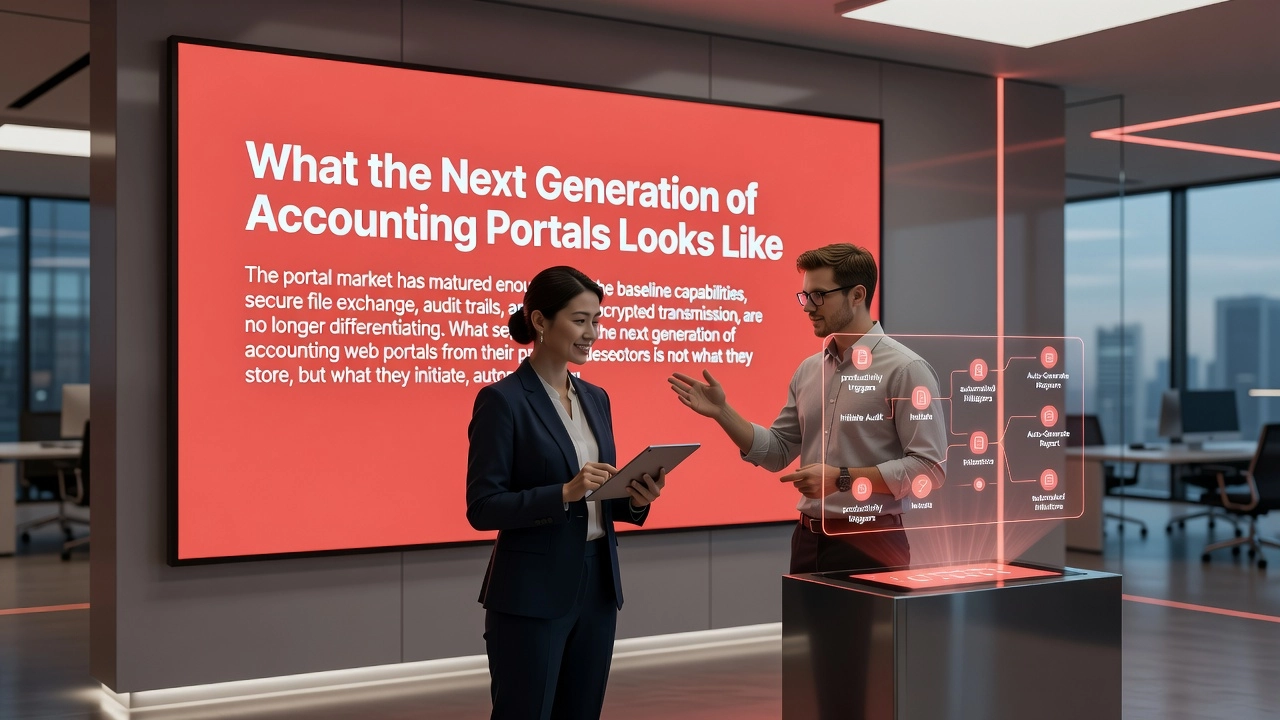
The portal market has matured enough that the baseline capabilities, secure file exchange, audit trails, and encrypted transmission, are no longer differentiating. What separates the next generation of accounting web portals from their predecessors is not what they store, but what they initiate, automate, and anticipate.
Proactive Communication as Designed Infrastructure
The most significant architectural shift underway is the move from reactive document collection to scheduled, outbound client communication. Traditional portals wait for a client to upload a file or respond to a request. Next-generation platforms treat communication as planned infrastructure, delivering the right information to the right clients at the right time based on calendared workflows rather than staff memory. A firm using this model sends organized deadline reminders, document checklists, and status updates automatically, preventing the end-of-quarter backlog rather than scrambling to organize it after the fact. This distinction matters operationally: proactive outreach compresses the front end of every engagement, shortens the average month-end close, and removes the manual coordination burden that currently consumes staff hours that could be allocated to billable advisory work.
Workflow Automation Closing the Practice Management Gap
The portal-to-practice-management gap is where firms continue to lose the most time. A portal that collects documents but does not route them, assign them to the right preparer, or trigger the next workflow step has automated only the intake, not the work that follows. Platforms that route received files, assign tasks, trigger reminders, and update clients automatically are rapidly becoming a competitive requirement rather than a premium feature. AI in accounting industry trends for 2026 confirm that SaaS consolidation is accelerating as firms migrate away from eight or more disconnected tools toward integrated platforms that handle end-to-end workflows. Firms still stitching together separate portals, task managers, and communication tools are paying a coordination tax every day that automated workflows eliminate.
 AI generated
AI Integration as a Forward-Looking Evaluation Criterion
AI adoption inside accounting firms has moved faster than most anticipated. The Wolters Kluwer Future Ready Accountant report found that firm-level AI adoption jumped from 9% in 2024 to 41% in 2025, with 77% of firms planning to increase AI investment and 35% already using AI tools daily. Portal vendors are responding by launching AI-ready workflows, intelligent bank feeds, and agentic features that act autonomously across tasks rather than waiting for manual instruction. Firms evaluating a portal today based solely on its current feature set are making a short-sighted selection decision. The right evaluation question is not only what the platform does now, but what its AI development roadmap looks like heading into 2026 and 2027. A platform without a credible AI integration path is a platform that will require replacement sooner than expected.
Mobile-First as a Baseline, Not a Bonus
Client adoption remains the variable that determines whether a portal investment delivers its promised return. A powerful, well-configured portal that clients abandon in favor of email provides no workflow benefit whatsoever. For firms experiencing low adoption rates, the evidence consistently points to mobile experience as the single highest-leverage factor. Clients who can complete requests, upload documents, and receive updates through a clean, intuitive mobile interface engage with the portal consistently. Those who cannot will revert to whatever channel requires the least friction, typically email, returning the firm to the fragmented communication environment the portal was deployed to replace.
Scalability as a Response to the Staffing Crisis
The structural pressure underlying all of these trends is the talent shortage. With 75% of CPAs at or near retirement age and approximately 130,000 accountant job openings projected annually by the Bureau of Labor Statistics, firms cannot solve their capacity problem by hiring. The firms that navigate this environment successfully will be those whose digital workspace scales client volume without scaling administrative headcount. Tax-prep capacity already runs above 90% utilization at filing-season peak, leaving no margin for inefficiency. A platform that automates document collection, task routing, client updates, and proactive outreach is not a convenience; it is the operational infrastructure that allows a leaner team to serve a growing client base without compressing quality or response times.
The Branded Digital Workspace as the Winning Architecture
The architectural model that ties all of these capabilities together is the branded digital workspace, a centralized environment where communication, file sharing, tasks, and proactive notifications converge under the firm's identity. This model closes the workflow gap that isolated portals leave open while simultaneously reinforcing the firm's professional brand at every client touchpoint. Clients interact with a single, consistent digital environment that carries the firm's name, visual identity, and tone rather than a generic third-party interface. The result is a client experience that builds confidence, increases long-term retention, and positions the firm as a credible, modern partner rather than one still managing relationships through scattered email threads.
Key Takeaways for Accounting Firms Evaluating a Web Portal
The terminology distinction between "web portal" and "client portal" is purely semantic. Both terms describe the same category of tool, and the evaluation criteria are identical regardless of which phrase your research surfaces. Do not let the vocabulary difference send you down separate research paths.
Secure file exchange is a necessary starting point, not a complete solution. Firms that implement a portal for document uploads and stop there will continue spending significant staff hours chasing missing information, manually routing files, and keeping clients updated on status. The workflow gap is where productivity losses accumulate most severely, particularly given that tax-prep capacity already exceeds 90% utilization during peak filing season.
When comparing platforms, prioritize workflow automation depth over security specifications. Security is now a baseline requirement across every credible solution, not a differentiator. The real evaluation question is how much manual coordination each platform eliminates after a document arrives.
Scalability is non-negotiable in an environment where 130,000 accounting positions open annually and 75% of CPAs are approaching retirement. Your portal must serve a growing client base without requiring proportional growth in administrative overhead, because that staffing capacity simply will not exist.
Osuria's branded digital workspace is purpose-built to close the gap between document receipt and task completion. By combining secure file sharing, structured communication, and proactive client notifications in one platform, Osuria addresses precisely where most portals fall short, helping accounting firms operate efficiently and deliver a consistently professional client experience at scale.
Conclusion
A web portal is not simply a file-sharing tool; it is the operational backbone of a modern accounting firm. The key takeaways are clear: disconnected tools create hidden workflow gaps, not all portals are built with accounting-specific needs in mind, and the right solution should centralize communication, document exchange, and task management seamlessly.
Firms that ignore these gaps do not just lose time. They risk client trust, staff morale, and long-term growth.
The good news is that the solution is within reach. Start by auditing where your current workflow breaks down, identify the handoffs that cost your team the most time, and evaluate portal options through that specific lens.
Your firm deserves infrastructure that works as hard as you do. Take the next step today and build a workflow that finally closes the gap.